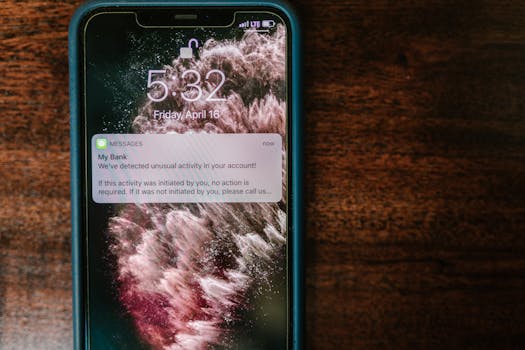
Ever wonder why you’ve left your phone’s ringtone or email font just as you found it? That’s classic default bias behavior: the tendency to stick with pre-set options even when more fitting choices are available.
The ways we interact with technology, services, and even physical products are shaped by this bias. From overlooked privacy settings to the default theme on our apps, defaults influence the decisions we don’t realize we’re making every day.
If you’ve clicked “next” on a setup screen or kept silent during software prompts, you’re not alone. Let’s dig into why default bias behavior is so pervasive—and what happens when we do or don’t override it in daily life.
The Pull of Defaults: Why Options Feel Heavy
Default options aren’t just placeholder choices—they’re guideposts nudging decisions. Every user faces subtle psychological hurdles that make changes feel riskier or more work than sticking with what’s already set.
Let’s look closer at the moments when default bias behavior shapes outcomes, whether you’re configuring a new device or signing up online.
Rule: Default Means “Typical” to Our Brains
When an app or gadget presents a default, our brains infer that’s preferred or safe. For instance, a fitness tracker with step goals preset at 10,000 nudges users to accept that target without questioning it.
Social proof compounds this. People presume that if others go with the default, it must be best. Change feels like going out on a limb—even for something as personal as notification sounds.
Mini Checklist: Spotting Default Bias Triggers
To catch yourself caught up in default bias behavior, try: pausing before confirming settings, asking if the default truly fits your needs, and reviewing setup screens fully before you proceed.
Not sure when it applies? Notice when you accept the first option without reading others, like auto-selected newsletter subscriptions or privacy permissions during sign-up. That’s classic default bias at work.
| Scenario | Default Option | Alternative Available | Takeaway |
|---|---|---|---|
| Phone notifications | All alerts on | Custom notification groups | Review which notifications should actually be on and silence the rest for less distraction |
| Streaming video quality | Auto/SD quality | Manual HD select | Consider adjusting for better picture or less data use based on your real needs |
| App privacy | Max sharing enabled | Minimal sharing | Explicitly check what you’re sharing at setup, so you only grant what you intend |
| Email layout | Default reading pane | Custom folder or view | Try adjusting the pane or filter rules for faster, distraction-free email sifting |
| Car radio presets | Factory genre channels | Personalized stations | Don’t settle for preset entertainment—tune it to your taste for a better drive |
The Comfort of Familiarity: Why Change Feels Risky
Switching from defaults often means navigating uncertainty or unfamiliar territory. The more technical or unfamiliar an option seems, the less likely someone is to change it.
Consider instructions: a printer setup displaying several paper sizes, but “Letter” is pre-selected. Unless your needs are wildly different, most people click “next,” trusting that the default is safest.
Scenario: The Friend’s Recommendation Effect
Imagine two coworkers discussing document formatting. One sticks to the default font because, “that’s what everyone uses here.” The other tries something new but later reverts out of awkwardness—change isn’t just technical, it’s social.
Subtle cues, such as menu highlights or layout hierarchy, nudge users to stick with what feels like the path of least resistance. No debate or group vote needed—just a quiet default bias at play.
- Pause before clicking “next” during setup; rereading options can spark small but meaningful customizations for comfort and efficiency.
- Ask colleagues what settings they’ve changed and why, borrowing practical ideas that ease your workflow without reinventing the wheel.
- Use reminders to revisit initial settings after a week; what feels complex early on often seems clearer after some real-world use.
- Keep a running list of settings you actually tweak, recognizing which defaults do serve you versus which ones cause friction.
Sometimes, default bias behavior isn’t about preference, but about reducing tiny risks—like avoiding the odd look in a team meeting if your document looks different from everyone else’s.
Mini-Checklist: Situational Awareness with Defaults
Experiment by changing one setting a week and tracking how it affects your work or personal convenience. Take notes—small risks can reveal better ways to personalize tools.
If you realize a change made life harder, reverting is always an option. The point isn’t radical overhaul, but conscious choice over passive acceptance.
- Set a recurring reminder to review top-used app settings monthly and identify which you understand.
- After a software update, skim release notes for highlighted default changes rather than assuming nothing significant shifted.
- In shared spaces (work, home tech), designate a “reset” rule so everyone can revisit and discuss useful changes together.
- Encourage family or team to share small setting changes that worked for them as a low-key knowledge swap.
Each month, review past changes in your most-used tech to see if your needs or habits have shifted. You might find overlooked opportunities hiding behind defaults.
Momentum and Minimal Effort: The Automatic Path
Once we’ve accepted a default, inertia takes over and keeps us following the same patterns. Changing even trivial settings requires a conscious effort to break this autopilot cycle.
For instance, after months of using a default snooze interval, most people forget changing it is even possible. The original friction to explore deeper settings remains a barrier.
Micro-Shifts: Breaking the Cycle
Making one purposeful change in how you use a device or service can ignite curiosity. Tweaking a calendar alert or changing an app theme is often the first step to personalizing deeply embedded behaviors.
Next time you find yourself irked by a tiny annoyance—like a calendar ping going off too early—see if there’s a setting to adjust. These small experiments build confidence against default bias behavior.
A Quick Comparison: Effort vs Outcome
Imagine you change your browser’s default search engine. The process takes a minute but can shift how information reaches you daily. That one click can change your digital filter on the world.
With low effort, the outcome is significant—a reminder that not all changes are high stakes but can have ripple effects you notice only when you start to look.
Too Many Choices: How Overload Steers Us Back to Defaults
Paradoxically, more options can lead to less experimentation. The classic “paradox of choice” leaves us overwhelmed and clinging to whatever’s already selected.
When faced with twenty notification types in an app, most people leave them all on by default. Fewer, clearer settings encourage thoughtful tweaks, but abundance creates decision fatigue.
Mini Experiment: Reducing the Mental Load
If a list of settings feels overwhelming, start simple. As an experiment, only change the single setting that annoys you most. Once comfortable, repeat the process for another nagging default.
This method lowers pressure and helps you build a sense of control instead of dread when facing option-heavy configuration screens.
Observation: Defaults Offer an Easy “Out”
Imagine a new streaming service offering a complex array of account privacy toggles—overwhelmed, a user just clicks through, accepting defaults. It’s not laziness but self-preservation from cognitive overload.
Designers sometimes resolve this by offering guided setup wizards or ‘recommended’ settings to reduce the mental tax on new users without locking them into one-size-fits-all options.
Social Influence: When Group Norms Cement Defaults
Settings are rarely chosen in isolation. The choices—default or not—of our peers and communities heavily color what feels acceptable or safe, even in private tech configurations.
Default bias behavior gets amplified when everyone around you sticks to pre-set paths. If your coworkers all use corporate email with the light theme, it’s unlikely you’ll be the lone person switching to dark mode.
Scenario: The Office Template
A staff member notices every shared report uses the company’s default branding. Proposing a new layout sounds like extra work and risk. The default survives, thanks to silent social endorsement.
In these group settings, defaults aren’t just technical—they’re a shortcut for social belonging, too. Questioning or changing them can mean standing out or triggering extra conversations.
Quick Step Sequence: Testing Your Own Defaults
1. Identify a group norm setting—think document templates or shared chat notification sounds. 2. Ask, “Does this serve my group’s real needs?” 3. Propose a low-stakes experiment: a small tweak to gauge reactions.
Observe the response. If resistance is low and benefits clear, scaling the new setting becomes easier for everyone.
Simple Defaults that Work: When Change Isn’t Needed
Not every default is a trap. Many are smartly designed and genuinely service the majority’s needs. Questioning defaults doesn’t require constant rebellion against what works well.
Take airline safety videos: the familiar sequence remains a default for consistency, clarity, and legal compliance. In these cases, changing the default serves little purpose for the individual or community.
- Recognize default bias behavior but evaluate each setting’s context: when the default aligns with your goal, there’s no need to force change.
- List settings you’re happy to leave alone, saving time and energy for areas where personalization really matters.
- Review persistent annoyances. When defaults cause repeated friction, those are prime candidates for reconsideration or adjustment.
- Stay open to periodic reviews, especially after software or policy updates may alter what “default” now means for your experience.
Knowing when to act—or not—with defaults is a skill, not a mandate. Mastery comes when you can distinguish between helpful automation and habits that no longer serve you.
Building Agency: Overriding Default Bias Behavior with Intention
For those keen to break free from passive acceptance, tiny routines can make defaults your ally rather than your boss. Awareness—and a willingness to make one adjustment at a time—start the process.
Some people establish a ritual: during the first week with a new device or service, they explore one setting per day and note how it affects their routine. This transforms default bias behavior into conscious curation.
Rule: Start Small, Build Habits
Don’t overhaul every setting at once. Instead, keep a checklist: which defaults do you want to monitor or adjust? Tackling one setting at a time prevents overwhelm and builds lasting awareness.
Each adjustment is a small experiment, not a permanent commitment. Flexibility is key—the point is getting comfortable with change, not becoming a customization perfectionist.
The Power of Contextual Review
Regularly revisit settings after major life changes (job switch, move, new tech). What worked as a default six months ago may now feel limiting, outmoded, or irrelevant to your new daily habits.
This habit enables you to benefit from both worlds: efficiency where defaults work, and individuality when your life diverges from the averages built into system presets.
Rethinking Defaults: From Passive to Purposeful Choices
If you’ve ever wondered why you stay with the familiar ringtone or unaltered notification schedule, you’ve witnessed default bias behavior in action throughout your life.
The practical benefits of defaults are real, streamlining choices and providing comfort—and yet, conscious exploration of settings can reveal meaningful gains in productivity and satisfaction.
Habits begin with awareness. Next time you accept a default setting, pause to ask, “Does this option genuinely serve me, or just save me from minor friction?”